
In order to add and update clients from Companies House (UK firms only), an admin user will first need to set up the integration.
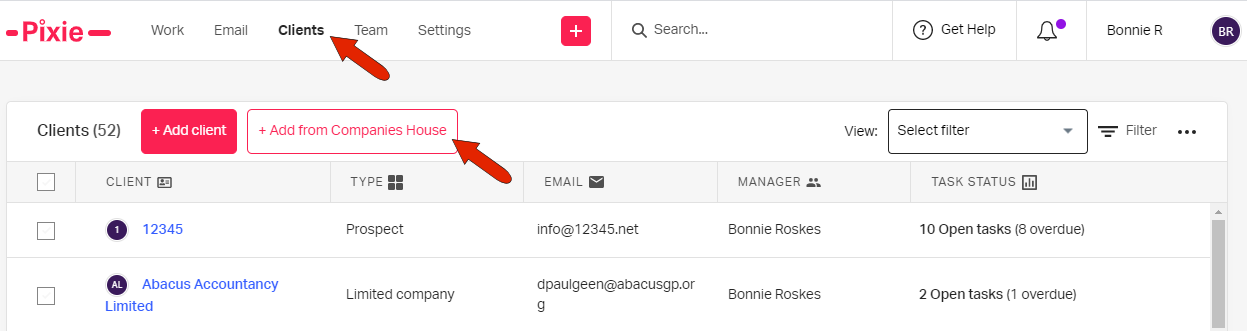
To import a client, you can either click Clients across the top, then click Add from Companies House.
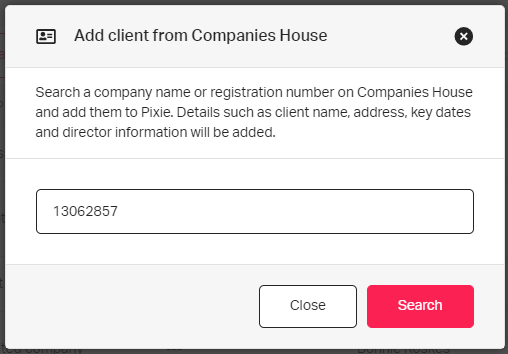
Enter the registration number of the company you want to add, and click Search.
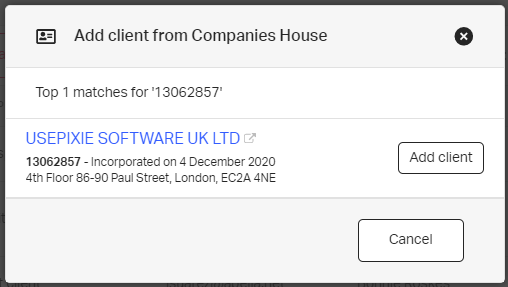
Click Add client.
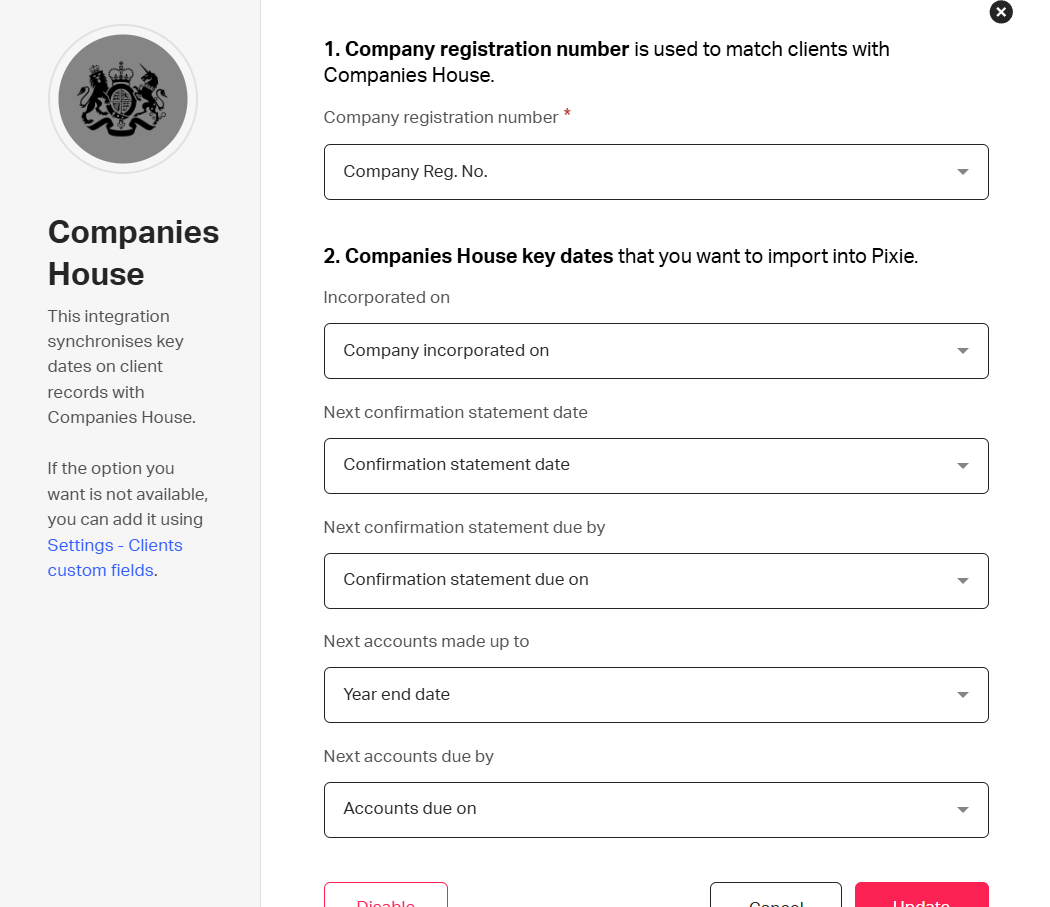
Or, you can head to settings, then integrations, then click on Companies House as shown below.
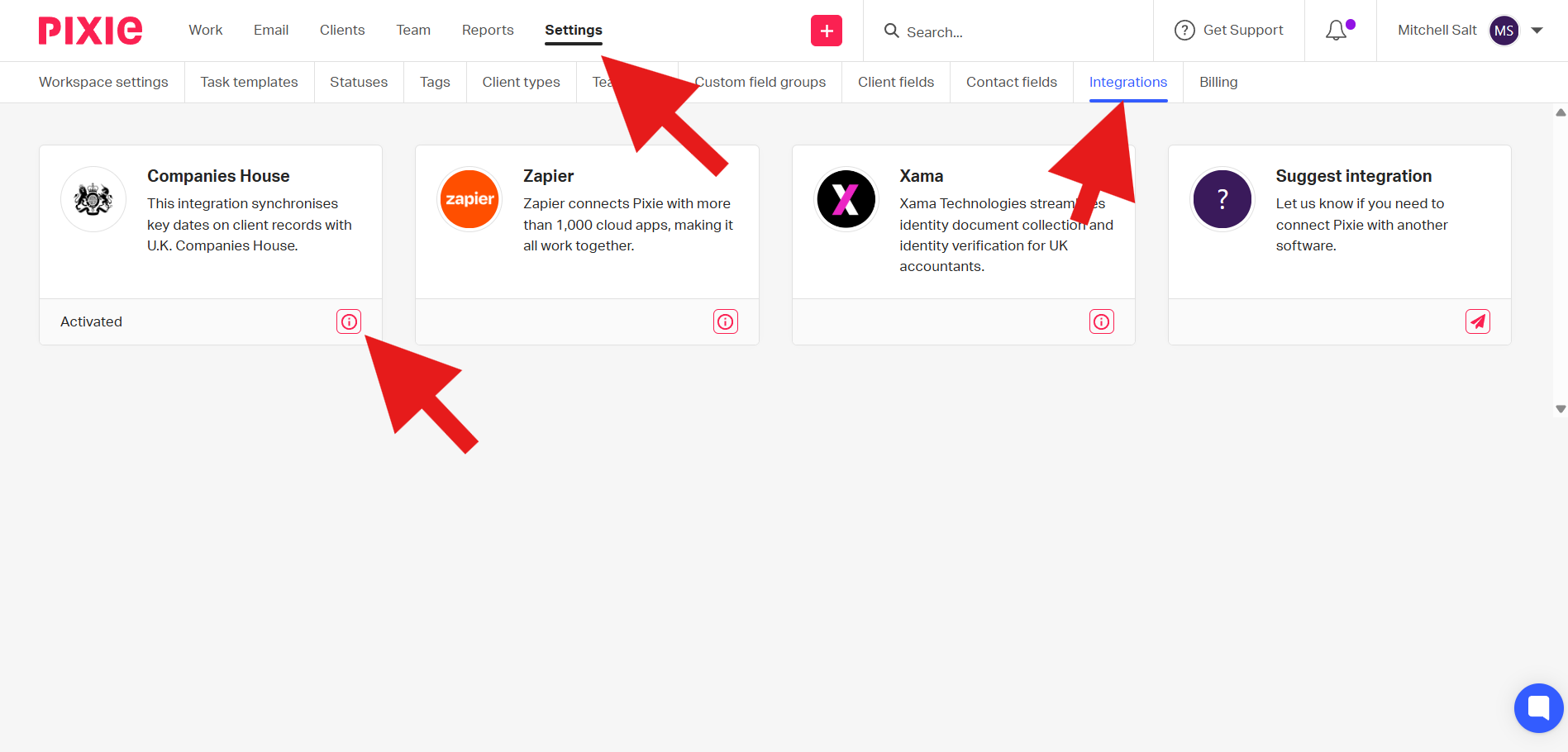
From here, there will be a variety of details to fill out, as shown below, that will auto-populate fields on your client.
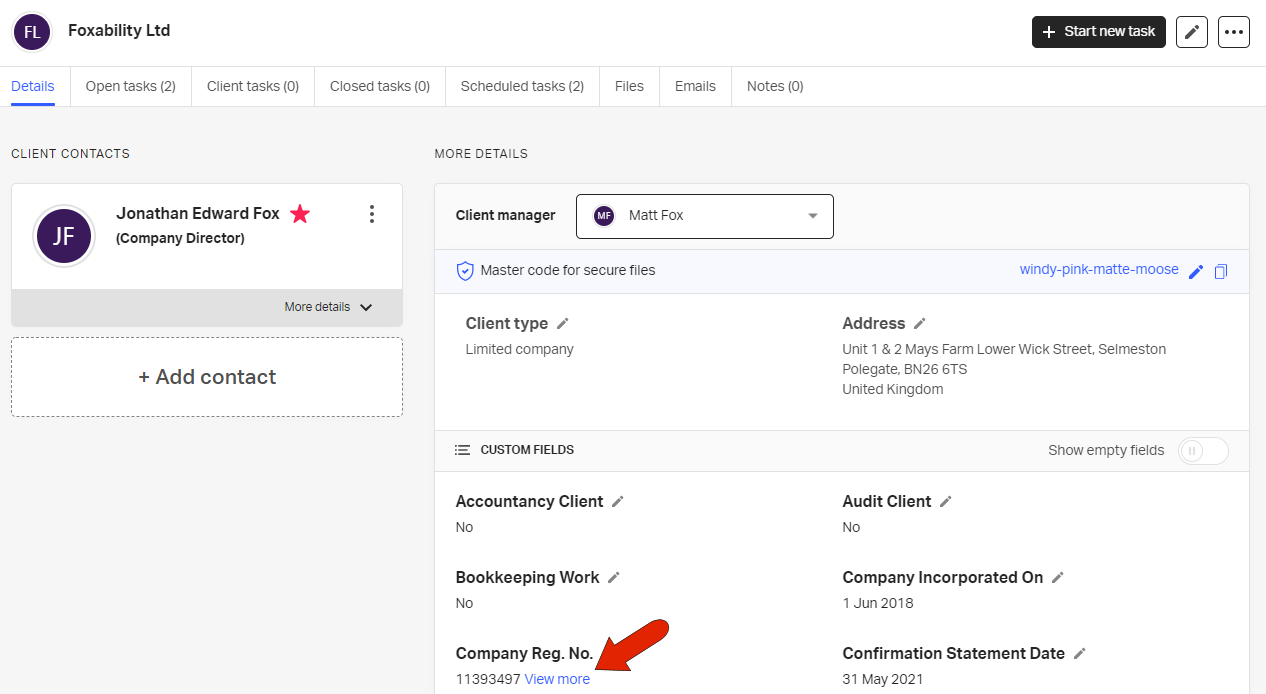
Once imported, the client details page will include all available details, such as client contacts, address, incorporated and statement dates, etc. For the Company Reg. No. field, clicking the View More link will take you to the company’s page on the Companies House site.
You can also update client details to match Companies House data.
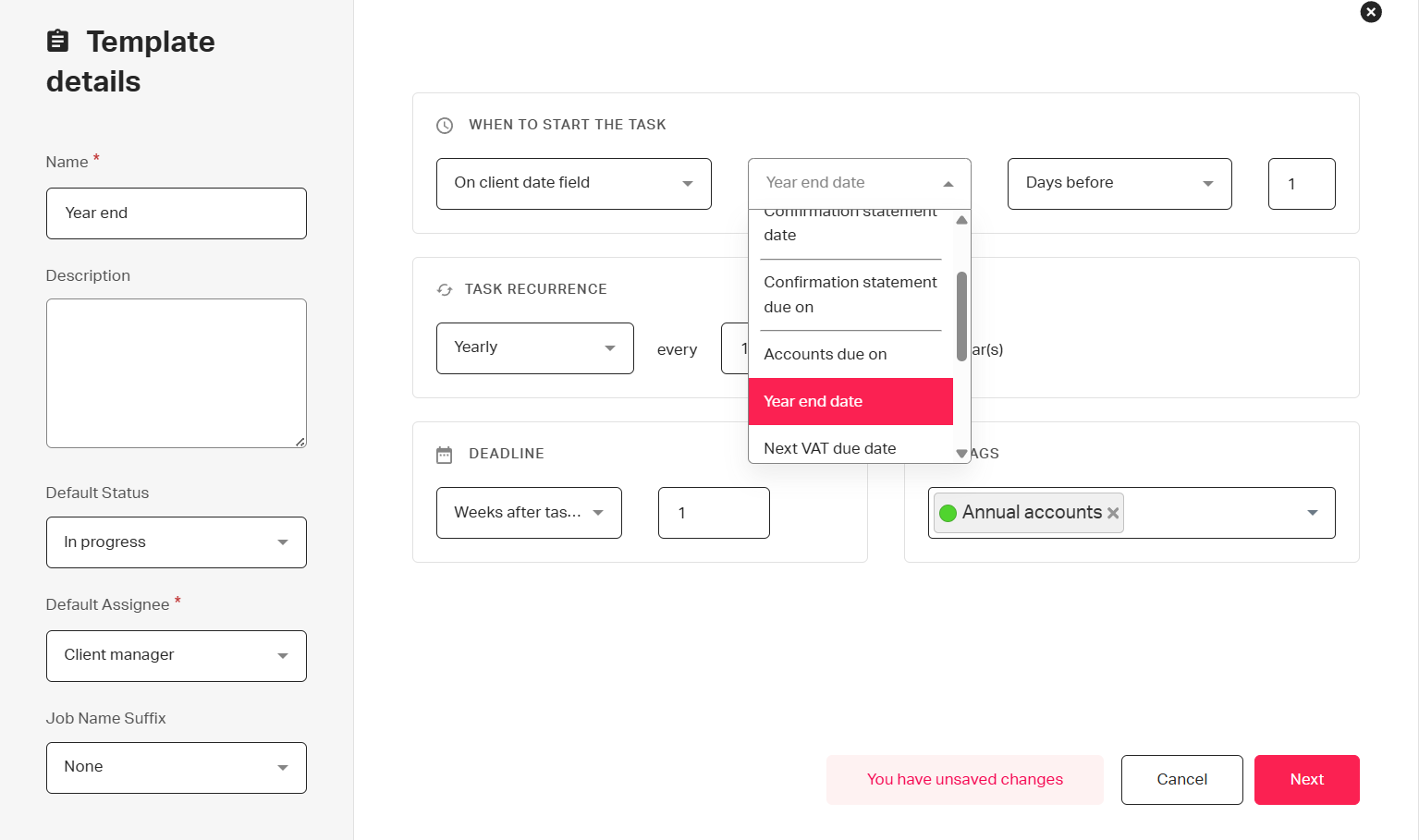
You can use these automatically populated details to theme task templates around and task dates, as shown below.
See also: